
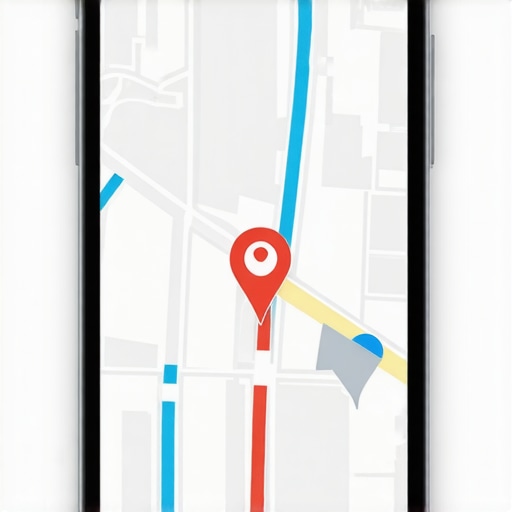
The Specific Map Embed Mistakes That Are Slowing Down Your Rankings
For years, the standard advice for local businesses has been simple: “Embed a Google Map on your contact page to boost your local SEO.” While this advice holds a grain of truth, the reality in today’s hyper-competitive search landscape is far more complex. As a Google Business Profile Product Expert, I have audited thousands of local listings, and I can tell you that a poorly implemented map embed is often a silent killer of rankings. If you are struggling with google business profile seo, the problem might not be your content or your backlinks – it might be the very map intended to help you.
A map embed is more than just a visual aid; it is a technical bridge between your website and Google’s Entity Graph. However, when implemented incorrectly, it creates a “Performance Paradox.” You are trying to signal your location to Google, but in doing so, you are destroying your site’s speed, ruining the user experience (UX), and potentially confusing the algorithm about your business’s true identity. In this guide, we will dissect the specific technical errors that turn a helpful map into a ranking anchor.
The Performance Paradox: How Your Map Kills Your Core Web Vitals
The most immediate and measurable damage caused by a standard Google Map embed is to your site’s performance. According to research from corewebvitals.io, a standard Google Maps iframe embed can cost a website up to 14% of its PageSpeed score. In an era where Core Web Vitals (CWV) are a confirmed ranking factor, this is a massive penalty to pay for a single design element.
When a browser encounters an iframe – the technology used for most map embeds – it must pause the rendering of your primary content to fetch a massive suite of JavaScript and CSS from Google’s servers. This often triggers high CPU spikes and delays the “Main Thread,” leading to poor scores in Largest Contentful Paint (LCP) and First Input Delay (FID). Furthermore, if the map is not sized correctly, it can cause Cumulative Layout Shift (CLS), where the page content “jumps” as the map loads, a major red flag for google business profile seo.
Many local business owners overlook this because they test their site on high-speed office desktop connections. However, Google’s mobile-first indexing prioritizes the experience of a user on a mid-tier mobile device on a 4G connection. For that user, your map might take 3 to 5 seconds to become interactive, during which time they have likely bounced back to the search results, signaling to Google that your site is a low-quality destination.
Mistake #1: Embedding a Generic Address Instead of a Business Entity
This is perhaps the most common mistake I see. A business owner goes to Google Maps, types in their street address (e.g., “123 Main St, Springfield”), clicks “Share,” and grabs the embed code. While this shows a pin on a map, it fails to pass “Entity Authority.”
To improve google maps ranking, you must understand that Google views your business as an entity, not just a set of coordinates. When you embed a generic address, you are telling Google, “Here is a spot on the earth.” When you embed your specific Google Business Profile (using your CID or unique Place ID), you are telling Google, “This website is officially connected to this specific verified business entity.”
By failing to link the map to your specific profile, you miss out on the “Entity Handshake.” This connection helps Google verify that the business mentioned in your footer and your LocalBusiness schema is the same one represented on the map. If you are noticing that your Specific Schema Errors That Hide Your Shop From Local Search are persisting, it may be because your map embed is providing conflicting or generic data that fails to reinforce your entity’s proximity and relevance.
Mistake #2: The Mobile “Scroll Trap” and UX Friction
User experience is a proxy for quality in Google’s eyes. If users struggle to navigate your site, your rankings will eventually reflect that frustration. The “Scroll Trap” is a classic UX fail: a user is scrolling down your mobile page to find your phone number, their thumb hits the interactive map, and suddenly they are zooming into the Pacific Ocean or panning across a neighboring town instead of scrolling down the page.
This friction leads to high bounce rates and “pogo-sticking” (users clicking back to search results immediately). When Google sees that users spend only seconds on your site before returning to the search page, it concludes that your site did not satisfy the user’s intent. Using professional SEO Viper Tools can help you identify these UX bottlenecks by tracking how users interact with your local landing pages.
To avoid this, maps should be non-interactive by default on mobile devices, or placed in a way that doesn’t occupy the full width of the scroll path. A map that prevents a user from reaching your “Call Now” button is actively costing you money and ranking positions.
Mistake #3: Ignoring the 2026 “Latency-Grid” and API Sync Issues
As we move into a more sophisticated era of local search, we are seeing the emergence of the 2026 Latency-Grid Error. This technical glitch occurs when there is a mismatch between the data served via the Maps JavaScript API and the data held in the Google Business Profile primary database. This often results in a “ghost pin” where your business appears on a map embed but fails to appear in the actual Local Map Pack for relevant queries.
This is frequently tied to what experts are calling the “Interaction Purge.” Google is increasingly discounting map interactions that it deems “low-value” or “automated.” If your map embed is using outdated API calls or is hidden behind a “click-to-load” script that isn’t properly indexed, you might find your Maps Disappeared? 3 Fixes for the 2026 Latency-Grid Error. Ensuring your API keys are current and your embed code is updated to the latest standard is vital for maintaining a stable presence in the 2026 search environment.
Technical Fixes: How to Embed Maps the Right Way
Knowing the mistakes is only half the battle. To truly rank higher on google maps, you need to implement technical fixes that balance SEO signals with site performance. Here are three essential strategies:
1. Implement Lazy Loading
Don’t let your map load until the user actually scrolls down to see it. By adding the loading="lazy" attribute to your iframe, you tell the browser to prioritize your text, images, and CSS first. This drastically improves your “Time to Interactive” score and keeps your Core Web Vitals in the green.
2. Use Static Previews with a JavaScript Trigger
The “Gold Standard” for map embeds is to use a static image of the map (which loads instantly) and only swap it for a fully interactive Google Map when the user clicks a “Load Map” button. This eliminates the 14% speed drain entirely for users who don’t need the interactive features, while still providing the full experience for those who do. Leveraging local seo ranking tools can help you test the performance difference between these two methods.
3. Align Map Coordinates with Schema
Your website’s code should be a unified chorus of location data. Ensure that the latitude and longitude coordinates in your GeoCoordinates schema exactly match the coordinates used in your map embed. Discrepancies here – even minor ones – can create a “Proximity Gap” that confuses Google’s local algorithm. If you find your business isn’t showing up for “near me” searches despite being physically close, you should look into Fixing the Proximity Gap That Pushes Your Business Off the Map.
Beyond the Embed: Strengthening Your Local Signals
A map embed is a powerful signal, but it doesn’t exist in a vacuum. Recent research shared on Reddit’s r/localseo suggests that 66% of local business sites are missing basic fundamentals, such as proper metadata and clear local landing page structures. To truly improve google maps rankings, you must pair your technical map fixes with a holistic SEO strategy.
- NAP Consistency: Your Name, Address, and Phone Number must be identical across your website, your map embed, and all third-party citations.
- Review Velocity: A map shows where you are; reviews show why you matter. Encourage a steady stream of authentic reviews to build trust with both users and Google.
- Local Content: Don’t just embed a map; write about your community. Mention local landmarks, neighborhoods, and events to solidify your local relevance.
If you are planning for the long term, stay ahead of the curve by reviewing 5 Specific Google Business Profile Tips for the 2026 Algorithm Update. The algorithm is moving away from simple keyword matching and toward “Verified Entity Authority,” making your technical implementation more critical than ever.
Conclusion: Auditing Your Map for 2026 Success
The days of “set it and forget it” map embeds are over. If your business is suffering from stagnant rankings or poor mobile performance, your map embed is the first place you should look. Are you using a generic address pin? Is your map slowing down your site? Is it causing a scroll trap for your mobile users? These “small” technical errors aggregate into a significant ranking ceiling.
By shifting to entity-based embeds, implementing lazy loading, and ensuring your schema is perfectly aligned, you can turn your map from a performance liability into a powerful SEO asset. If you find your business has vanished entirely from the local grid, you may need to take more drastic measures, such as learning how to Reset Your 2026 Business-Node Pin in 4 Easy Steps.
Take the time today to audit your contact page. Use google maps performance tools to measure your load times and check your entity connection. In the world of local SEO, the difference between the #1 spot and the second page often comes down to the technical details that everyone else is ignoring. Don’t let a simple iframe stand between you and your customers.
For more insights on local search intent and how to bridge the gap between your website and Google’s algorithm, read our deep dive on Why Your Business Schema Is Failing to Connect with Local Search Intent.